Google Data Canvas Assistant
Summary
Data Canvas Assistant began as a two-week sprint to turn an engineer's prototype into a customer demo. When the concept was selected for the Google Cloud Next mainstage, the brief changed. Over the next six weeks, the demo had to become a coherent product that could work for real users and alongside other AI agents emerging across BigQuery. I led that evolution by reframing the assistant as a collaborator, integrating its context with the user's project, and aligning interaction patterns across three teams. Sessions using the assistant ran about 30% more queries, a signal of deeper analysis.
Challenge
Add an AI assistant to a dense analytical workspace without covering the work, cluttering the canvas, or creating an interaction pattern that only worked in one BigQuery product.
Outcome
Showcased in the Google Cloud Next Keynote Presentation.
- +30%More SQL queries run in sessions using the assistant, signaling deeper analysis.
My Contribution
- Established an agent-as-collaborator paradigm instead of embedding conversations as canvas nodes.
- Created a new product model that integrated the agent's context with the user's project.
- Unified AI agent interaction patterns across three product teams.

Early Entrypoint Idea

Floating Bubbles
An early concept was to have the chat surfaced as ephemeral chat bubbles over the canvas.

Context Engineering
The initial design was a flexible input that could accept prompts, data, or agent instructions.

Across BigQuery
Other in-place agents emerged across BigQuery, requiring a redesign to align needs.

Redesign
The agent had to be placed in a container to better integrate with other non-canvas products within BigQuery.

Add Data & Agent Status
If the user asks a question without adding data, the system suggests tables they can use.
Agent statuses like “Creating a visualization” are shown as the agent performs its analysis

Context Engineering & Agent Publishing
As context engineering grew more complex, a side panel was used to accommodate more robust inputs.

Sharing
The idea of agent publishing was explored. This work eventually informed a large agent building and sharing project across BigQuery.
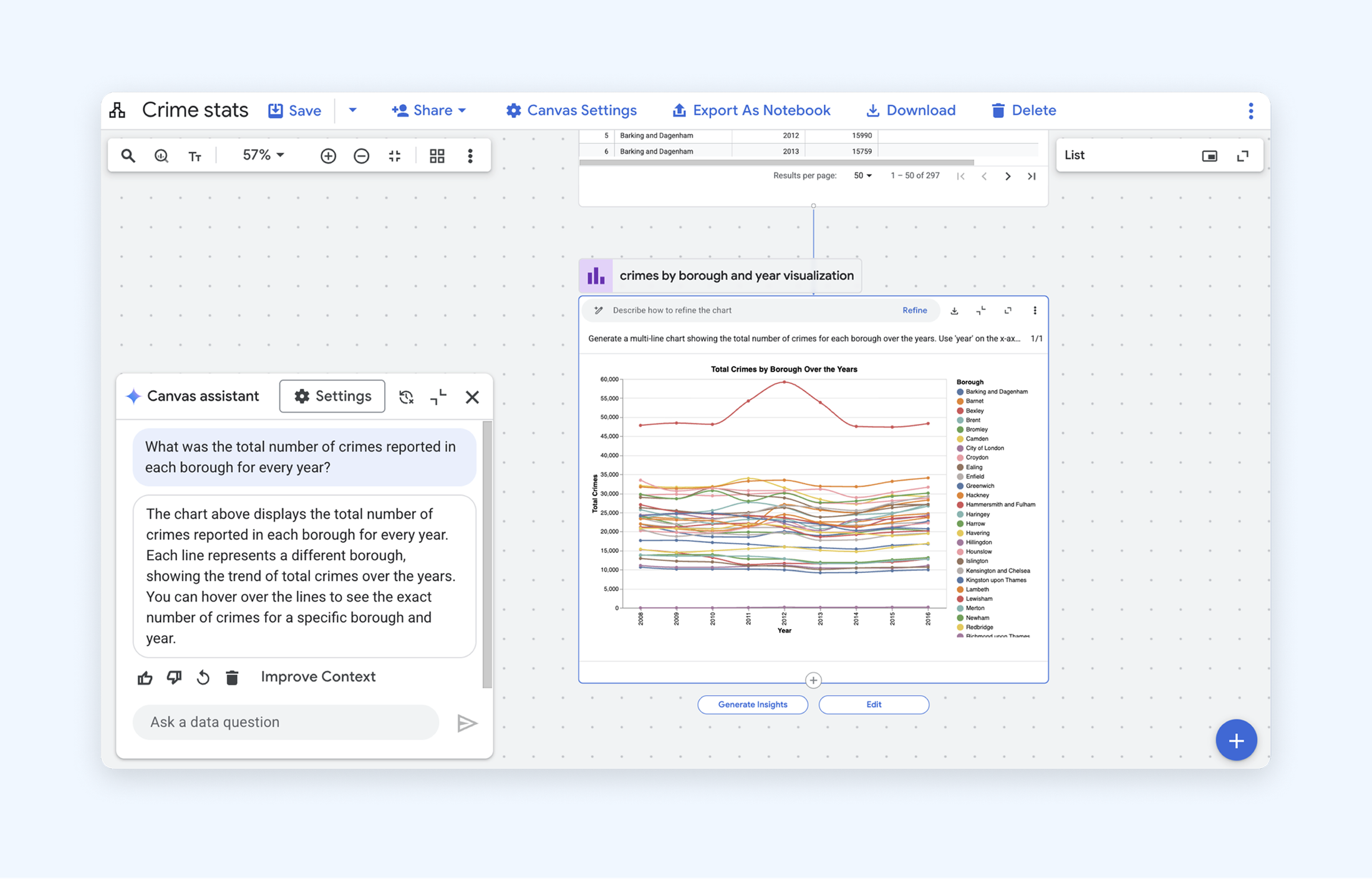
Assistant in Canvas
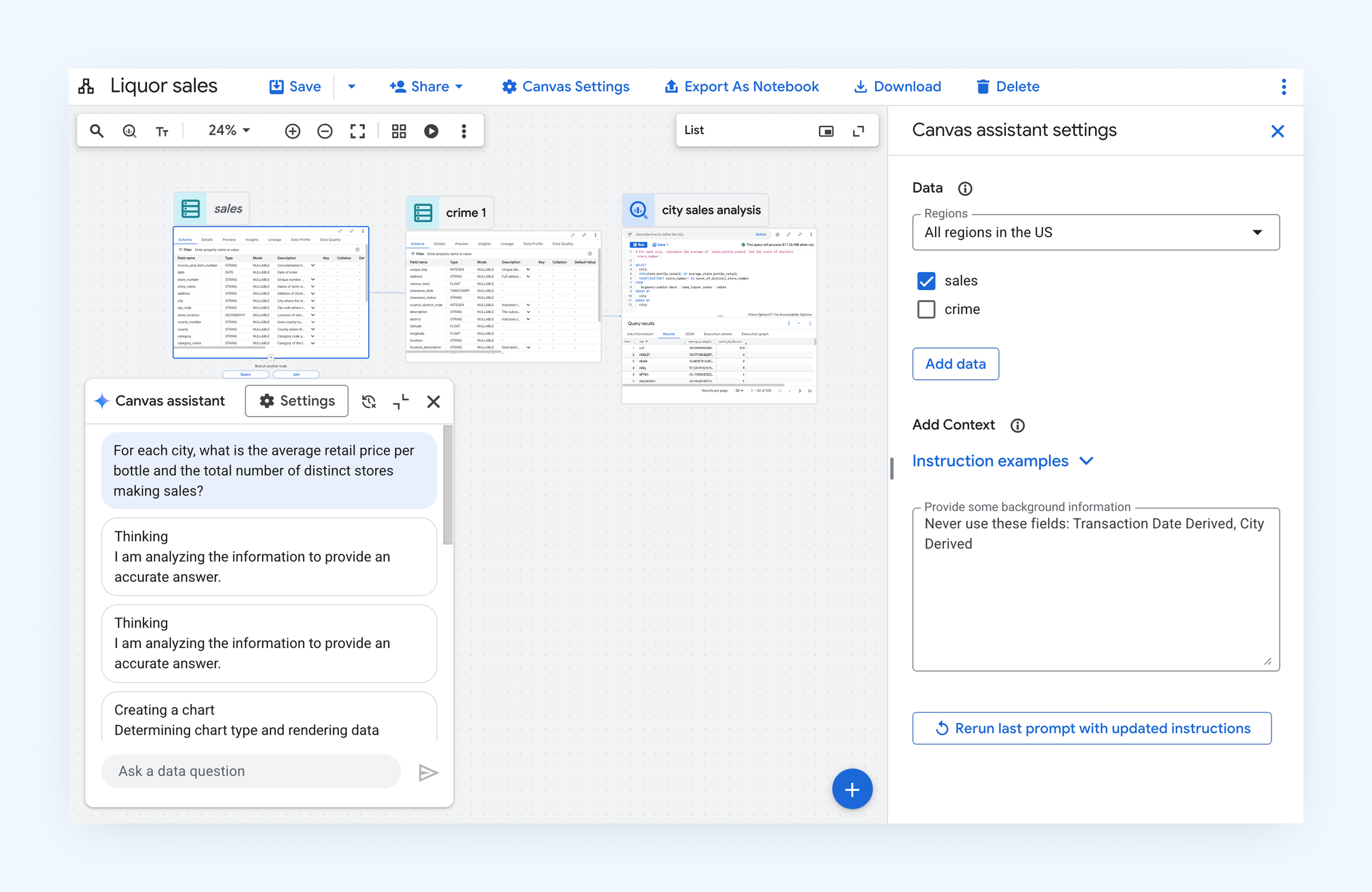
Agent Settings
Google Cloud Next 2025 Keynote
The assistant experience was showcased in the Google Cloud Next 2025 keynote, where it allowed BigQuery to reposition itself from a traditional, enterprise data warehouse to a dedicated data-to-AI platform.